Maya, built for animators · 2022–2027
Make 3D feel
hand-made.
Draw directly in Maya. Animate on twos and threes. Build smear frames. Fix your arcs. Then carry the shot through cleanup, review and delivery — from one connected workspace.
 ROM Hub
PRO · ACTIVE
ROM Hub
PRO · ACTIVE
Your creative workspace
The stylized stack
Make Maya feel more like drawing.
Plan the pose, control the exposure, push the impact and read the arc — without rebuilding your workflow around another app.
Start without a countdown
Six tools. Free forever.
Grease Pencil Pro · Pose Browser Pro · Quantize Pro · Motion Trails Pro · Key Toolbelt · Time Bookmarks
When the shot gets serious
ROM keeps going.
The stylized workflow is the front door. Behind it is a connected production suite for cleanup, review and delivery.
The toolkit
Four workflows. One connected suite.
Grouped by the job it finishes: character animation, drawing, mocap cleanup, and game delivery. Six are free forever.
Breakdown/Tween Pro
Interactive tween machine: scrub breakdowns live between keys, with overshoot, favor presets and true Maya breakdown keys.
KeysCurve Hygiene Pro
Scan animation curves for overshoots, Euler risks, dead keys and tangent problems before repairing them safely.
DiagnosticsGame LOD Pro
Analyze, reduce and export game-ready LOD chains.
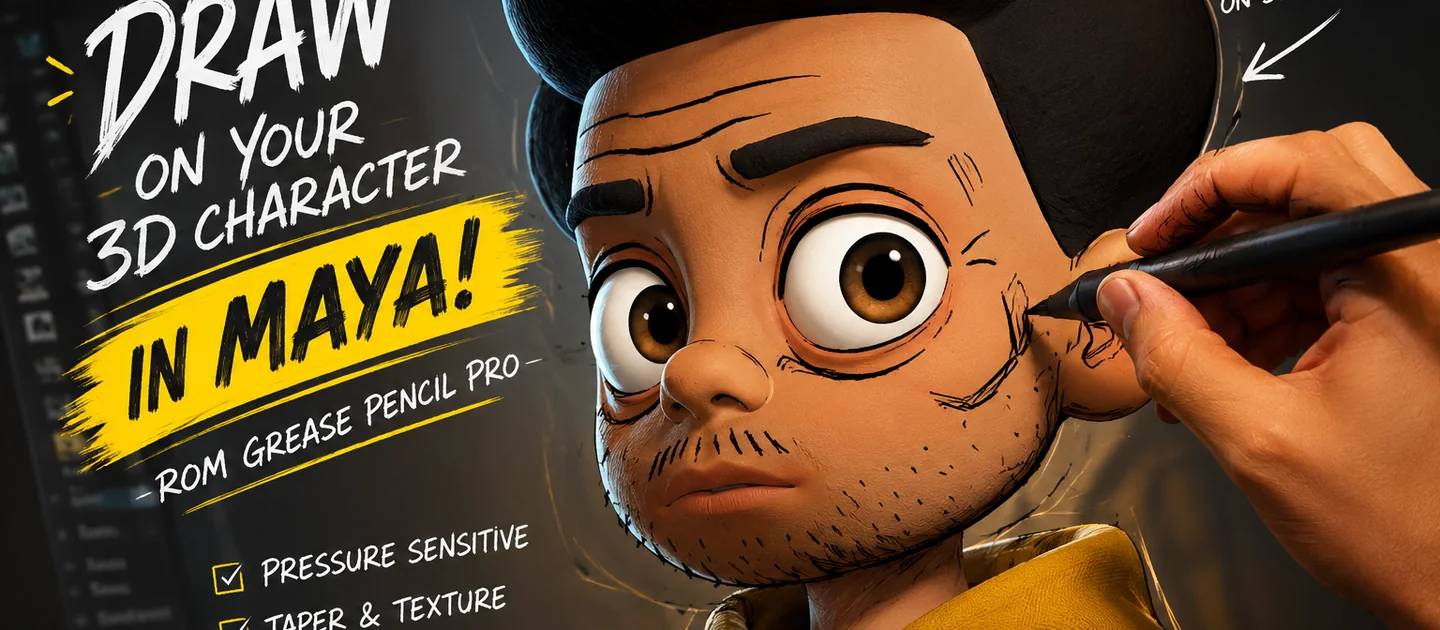
OptimizationGrease Pencil Pro
Viewport drawing, annotation and 2D-style workflows.
DrawingKey Toolbelt
Copy, paste, tween and offset keys from one dockable belt.
TimingMocap Cleanup + Retarget
Clean dirty mocap (despike, Butterworth smooth, key reduction), pin foot contacts, and retarget skeletons onto rig controls.
MocapMotion Trails Pro
Editable trails, arc analysis and spacing diagnostics.
DiagnosticsOverlap/Follow-Through Pro
Automatic secondary motion: bake spring-simulated overlap onto tails, ears and chains, or offset existing keys with falloff.
MotionPlayblast Pro
Burn-ins, codec presets and background encoding for review.
ReviewPose Browser Pro
Pose and animation library with mirroring, rig profiles and studio libraries.
PosingQuantize Pro
Snap animation to twos, threes and mixed timing with exposure-sheet visualization.
TimingSmear Pro
Production-safe smear frames with live viewport preview.
EffectsTemp Controls Pro
Create external translate, rotate and pivot helpers, preview a safe bake, delete helpers and roll back the last bake without changing rig hierarchy.
AnimationTime Bookmarks
Shared shot ranges and timeline bookmarks for the whole team.
TimingROM UV Tool
Smart unwrap, artist-review scoring and production packing.
TexturingROM Hub
Your entire ROM workspace, under one roof.
Install tools. Manage licenses. Download marketplace content. Receive updates. Diagnose problems. ROM Hub is the operating system for ROM AnimTools.
- One-click tool management
- Commercial licensing and seats
- Marketplace delivery
- Entitlement-filtered updates
ROM Hub
PRO · ACTIVE
Your creative workspace
Marketplace
Extend the tools without leaving Maya.
Owned packs sync straight into the Hub — verified by hash, installed transactionally, ready in the tool that uses them.
Brush Pack
Inking Essentials
for Grease Pencil Pro · $12
Pose Library
Acting Starters
for Pose Browser Pro · $18
Preset Pack
Arc Color Modes
for Motion Trails Pro · $9
Timing Presets
Snappy Twos
for Quantize Pro · $7
Learn
Get productive on day one.
Getting started
Install the Hub, activate your license, and launch your first tool inside Maya in under five minutes.
Tutorials
Follow along with real shots — drawing, timing, and reviewing motion the way it’s done in production.
Reference docs
Per-tool reference, troubleshooting, and release notes, organized by tool, Maya version, and difficulty.
Pricing
Start free. Upgrade when ROM earns its place in your day.
ROM Starter
A genuinely useful free bundle.
$0
Free forever
- Starter tool bundle
- ROM Hub installer
- Community docs
- 1 seat
ROM AnimTools Pro
The full toolkit for working animators.
$15
/mo · $149/yr · $299 perpetual
- Every tool in the suite
- Continuous updates via the Hub
- Marketplace access
- 30-day offline grace
- Priority support
ROM Studio
Seats, shared libraries, team admin.
Let’s talk
Volume seats · centralized billing
- Everything in Pro
- Multi-seat management
- Shared team libraries
- Onboarding & SLAs
Compare workflows
Choosing between Maya toolkits?
See dated, source-checked comparisons built around workflow, Maya support and published pricing — including where another tool may be the better fit.
FAQ
Questions, answered.
Which versions of Maya are supported?
Maya 2022 through 2027, on Windows, macOS and Linux. The Qt shim layer handles PySide2 and PySide6 automatically, so the same install works across versions.
Do I need to be online to use ROM AnimTools?
No. Pro licenses carry a 30-day offline grace period. Your tools keep working on set, on a plane, or behind a studio firewall.
What happens to my files if my subscription lapses?
Nothing. Paid features lock, but your pose libraries, brushes, and drawings are yours and stay on your disk. You fall back to the Starter bundle.
Can I use one license on more than one machine?
Yes — Pro includes seats you can activate and deactivate yourself from your account, so a desktop and a laptop are no problem.
Your next shot is waiting.
Download ROM Starter free, launch it inside Maya, and feel the difference on your very next pose.